Alarm Keypad for HomeAssistant
The goal of this project was to create an alarm keypad for HomeAssistant, allowing users to enter a code and also see the current alarm status.
The technical choice was to use an Arduino Pro Micro and communicate via the serial line provided by its USB interface. The serial line is therefore used to send the entered passwords to the home automation hub via a USB cable, and also to inform the keypad about alarm state changes.
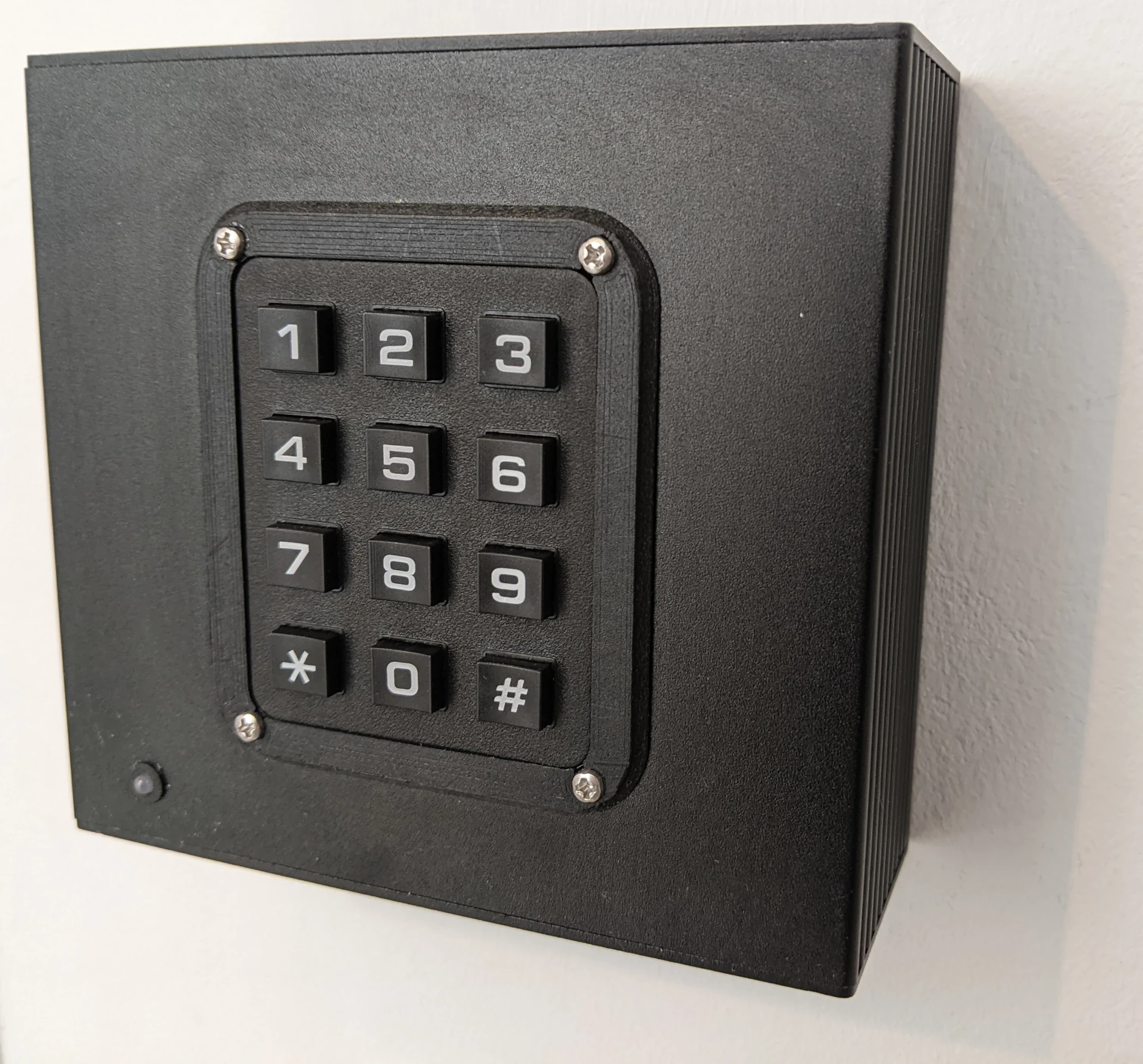
Note: The initial version of this project was using an Arduino Nano. It embeds a CH340 USB serial adapter, which malfunction with HomeAssistant: indeed, after a while, the serial line is no longer working and key presses are not received anymore. A reboot is required to retrieve a normal behavior. It seems to be an issue with CH340 driver. Switching to an Arduino Pro Micro completely solves this issue.
PCB Design
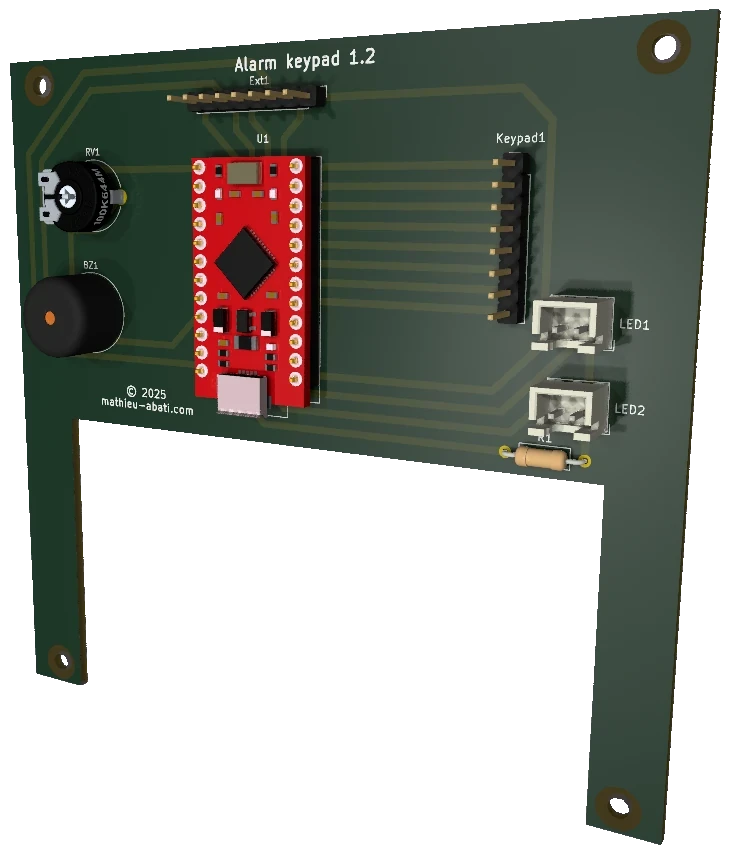
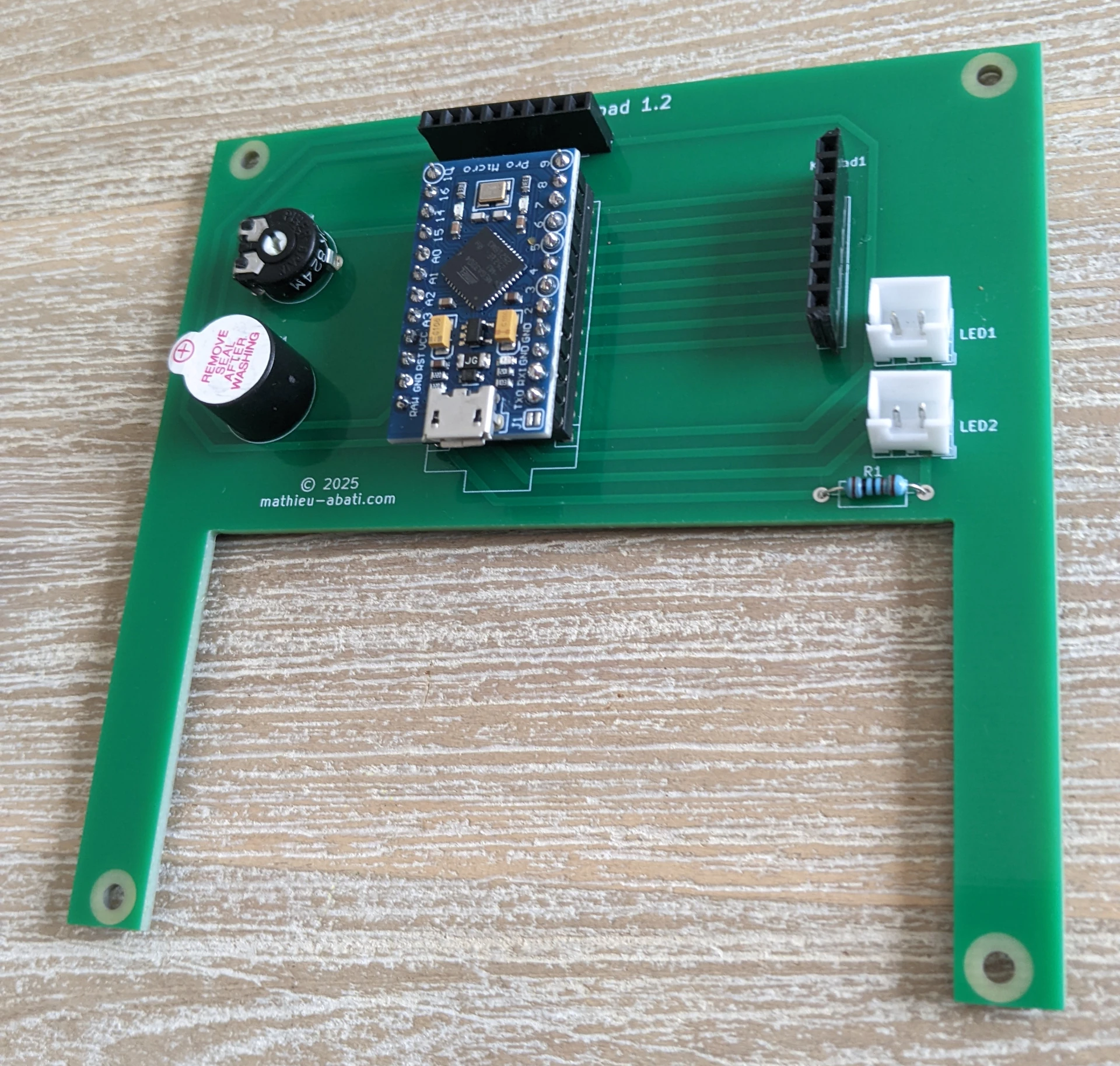
The PCB was designed using KiCAD. It hosts the Arduino Pro Micro, a connector for the keypad, a buzzer, and two LEDs for user feedback on system events.
All resources are available on the PCB GitHub page.
Ideally, this PCB is meant to be installed in a 40x100x110mm aluminum enclosure, along with a Tru Components 4x3 keypad.
Information for properly integrating this keypad into the aluminum case is detailed on the GitHub page.
Other keypads can easily be supported, such as 4x4 versions (with A, B, C, D keys) or membrane keypads.
Arduino Firmware
The program can be compiled and uploaded either using the Arduino IDE or PlatformIO. All details are available on the firmware GitHub page.
It provides bidirectional communication with the home automation hub through the Arduino’s USB serial line. Different types of keypads can be easily configured.
HomeAssistant Integration
Finally, a HomeAssistant integration was developed. It allows the system to receive passwords entered on the keypad and to notify it about alarm state changes.
Multiple passwords can be configured to trigger different actions — for example, a perimeter alarm mode or an away alarm mode. All details are available on the HomeAssistant integration GitHub page.
PCB's GitHub page
Firmware's GitHub page
HomeAssistant integration GitHub page
Printables page for keyboard border